Virginia Permits Are Digital Only
A digital permit can be easy to overlook until you reach a Virginia trailhead with weak service, a drained phone or an email address you cannot access. For Spearhead Trails, permits are digital rather than stickers to attach to a machine. Knowing what to save, what ID to carry and which permit covers your destination can prevent a paperwork problem from disrupting your ride.
What “digital only” means for Virginia trail permits
The digital-only rule applies to Spearhead Trails permits. After purchase, the permit arrives by email; there is no decal or sticker to put on your ATV or UTV. Keep the confirmation available on your phone and be prepared to show identification that matches the permit name.
That does not mean every Virginia riding area uses one digital permit. Trail access depends on where you plan to ride, and different systems can have separate permit requirements. A Spearhead permit does not cover Hatfield-McCoy, for example. National Forest riding has its own permit rules, which are separate from Spearhead’s. Check the requirements for the specific trail system before setting out.
| What you are checking | What to keep in mind |
|---|---|
| Spearhead Trails permit | Digital permit delivered by email; no sticker is issued |
| Name on the permit | Carry photo ID matching the permit name |
| Cell coverage | Download or save your confirmation before leaving service |
| Other trail systems | Confirm their separate permit requirements |
| Hatfield-McCoy | A Spearhead permit does not cover this system |
| National Forest trails | Check the separate Forest permit rules |
A digital permit is an access credential, not a general Virginia ATV registration or a state-issued riding pass for every trail. It also does not replace other requirements that may apply at a trail system, such as age, equipment, operating-hour or vehicle rules. Before traveling, make sure the destination accepts the permit you have and that your machine and riders meet that system’s rules.
If you are still choosing the right permit for a trip, How to Buy a Virginia Trail Permit explains the purchase process, while Virginia Annual vs Three-Day Permits helps you compare the Spearhead permit options. Check the provider’s current instructions when you buy, especially if the trip is planned well in advance.
How to buy the permit and prepare the confirmation
Treat the purchase as the start of your trail-day preparation, not the last task before loading the trailer. Entering the right rider details, saving the confirmation and checking the email address while you still have reliable internet access are small steps that can prevent delays later.
Use this sequence:
- Confirm the riding area. Make sure the permit you are buying is for the system you intend to ride. Do not assume one Virginia permit is accepted everywhere.
- Read the current purchase instructions. Follow the official permit provider’s process and check what information it asks for. Permit procedures can change.
- Enter the rider’s details carefully. Use the name that appears on the photo ID the rider will carry. If a parent or guardian is involved in a minor’s purchase or waiver, follow the provider’s instructions about whose details are needed.
- Check the email address before submitting. A typo can send the confirmation somewhere you cannot access. If buying for another rider, agree in advance on who will keep the email and make it available at the trail.
- Open the confirmation as soon as it arrives. Confirm that you can access it, that the permit details look right and that you know how to display it.
- Save an offline copy. Use your phone’s download or save function while you have service. A screenshot can also be useful as a backup reference, but do not assume that a screenshot replaces any inspection method the trail operator requires.
- Bring matching photo ID. Keep the actual ID with you rather than relying on a photo of it on the same phone as the permit.
- Tell the riding group where the permit is stored. If the person who bought it is not the person carrying the phone, make a plan so the permit and matching ID are accessible when requested.
For families or groups, make the permit holder and the person carrying the confirmation clear before departure. A group leader may be coordinating several machines, but each rider should understand which permit applies to them and how to show the relevant information. Do not assume one person’s permit automatically covers every rider or vehicle; check the rules for the particular permit and trail system.
Keep the confirmation in a place you can find quickly. Saving it in a dedicated email folder, a phone wallet or a secure offline file is more useful than leaving it buried among unrelated messages. If you rely on email, make sure the app has downloaded the message and any attachments, rather than just displaying a preview that needs a connection to load fully.
A screenshot can provide a quick backup if an email app signs out or takes time to load. Keep it private, avoid posting it in group chats or social media, and remember that a screenshot may not show everything an operator needs to verify. Use the official instructions as the authority on what to present.
If you need a field-ready phone setup, a waterproof pouch and a charged power bank are practical additions. Products from retailers such as Amazon can be one way to find those accessories, but choose gear that fits your phone and riding conditions. A pouch should not make the screen unusable, and a power bank is only useful if its cable and battery are packed too.
How to show a digital permit when cell service is weak
Mountain riding areas can have inconsistent cell coverage. Do not count on opening an email, logging into an account or downloading a permit at the trailhead. Prepare while you still have a reliable connection, and test the saved copy before you leave home.
A good offline check is simple:
- Turn off cellular data or use airplane mode briefly.
- Open the saved confirmation and make sure the essential details are visible.
- Check that any attachment or permit page opens without asking you to sign in.
- Confirm your phone has enough battery for the day.
- Put the matching photo ID somewhere accessible and protected.
- If the permit provider recommends a particular display method, follow that method rather than relying only on a screenshot.
This test catches a common problem: a message appears in the inbox, but its contents or linked permit page have not actually been downloaded. A phone may show a subject line while still needing internet access to load the full message. Save the information itself, not just a shortcut to a webpage.
Keep your phone somewhere you can reach without unloading the machine or unpacking the trailer. If you use a handlebar mount, secure it so it does not interfere with controls, visibility or safe riding. A mount is for access when stopped, not for reading a permit while moving. Put the phone away before riding and protect it from water, dust, impact and vibration.
Battery planning matters too. Navigation, photos, cold weather and repeated screen use can drain a phone faster than expected. Start with a full charge, reduce unnecessary screen use and carry a power bank if you expect a long day. Do not rely on charging from the machine unless you know the setup works and can keep connections protected from mud and moisture.
If your phone fails, a second rider may be able to access the group’s confirmation, but that is not a substitute for knowing the permit’s conditions. Agree before the ride who can show the permit and whose ID must match. A printed copy of the email can be an additional backup if convenient, but do not assume a printout replaces the digital verification process. Follow the trail operator’s current directions.
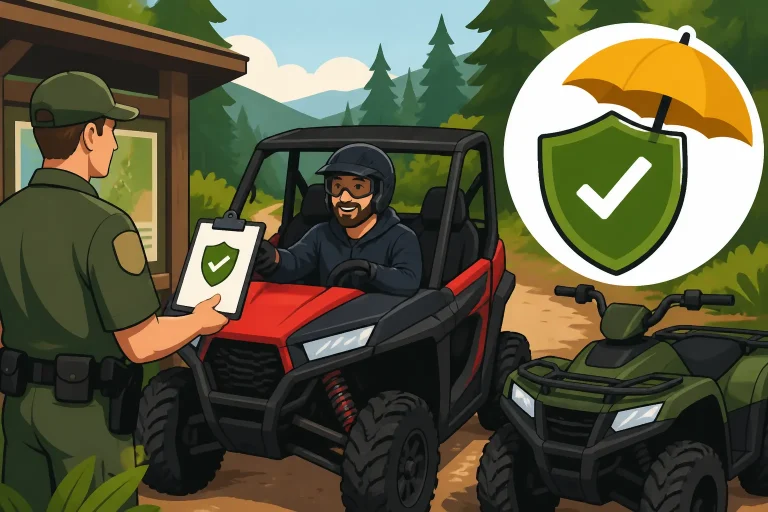
If there is no signal and a ranger needs to check your permit, stay calm and explain what you have saved. The operator may be able to look up a permit by name, but that is not a reason to arrive unprepared. Having the confirmation and matching ID ready makes it easier to resolve a question without depending on a live connection. For the specific verification process, see Virginia Permit Verification Steps and Virginia Permit Checks on the Trail.
What trail staff may check and how to avoid a mismatch
A digital permit does not eliminate verification. A trail ranger may ask to see the permit information and photo ID. The name on the ID should match the permit, so check the spelling and the identity details when the confirmation arrives—not when you are already at the trail entrance.
If something is wrong, do not edit the confirmation or assume a minor difference will be ignored. Contact the permit provider using its official support route and ask how to correct the record. Keep any correspondence with the provider, but understand that a message requesting a correction is not necessarily proof that the permit itself has been updated.
Common problems include:
- A typo in the name. Even a small spelling difference can slow down a check. Compare the permit with the ID and ask the provider how to fix a mismatch.
- The wrong person’s email or ID. The person presenting a permit should know whose name is on it and have that person’s matching ID available as required.
- A confirmation that will not open offline. Save the message or permit content before leaving coverage, and test it in airplane mode.
- An old or incomplete email. Make sure you are showing the current confirmation for the trip, not an earlier purchase or a receipt that omits the permit details.
- A group assuming one permit covers everyone. Check each permit’s terms rather than relying on a group organizer’s purchase confirmation.
- Confusion about a different trail system. A digital permit for one system is not automatically valid at another.
Be cautious about forwarding a permit email. If another person needs access, share it in a way that follows the provider’s instructions and protects personal details. Do not assume that a forwarded confirmation transfers the permit to a new rider or changes the name associated with it.
If you bought the permit for someone else, check the rules before purchase and make sure the person who will ride knows how to present it. A purchase receipt, an email from the buyer and a rider’s ID are not necessarily interchangeable. The official permit record and current verification directions determine what the trail staff can accept.
For minors, families should check any current requirements about adult involvement, identity checks or waiver completion before arriving. Do not assume that a parent’s permit or account automatically satisfies a young rider’s requirements. Keep the relevant confirmation accessible, and have the required adult and rider identification available.
Permit boundaries, reciprocity and trip planning
The most important planning question is not whether the permit is digital; it is whether that permit applies to the trails on your itinerary. Virginia does not have one universal ATV or UTV trail permit that automatically authorizes riding on every public or private system. Check the rules for each destination, including any system you might enter through a connector or cross-state route.
Spearhead and Hatfield-McCoy have separate permits. A permit bought for one should not be treated as valid for the other. If your trip includes more than one system, confirm each system’s permit, vehicle and rider requirements before leaving. Hatfield-McCoy and Spearhead Still Sell Separate Permits covers that distinction in more detail.
National Forest riding is another separate case. A Spearhead permit is not a substitute for a Forest permit, and a Forest permit does not automatically cover Spearhead. Check Virginia National Forest OHV Permits for the relevant Forest rules and purchase options. Forest procedures can differ from the email-based Spearhead process, so do not assume that “digital only” applies to every permit in the state.
Permit reciprocity is not something to infer from a neighboring state’s rules or from a machine’s registration. If you are bringing an out-of-state ATV or UTV, verify the permit requirements with the trail system you plan to visit. A neighboring state’s registration, trail pass or permit may not meet Virginia trail-access requirements. The same caution applies if your Virginia permit is being used outside Virginia: check the destination’s own rules rather than expecting automatic acceptance.
Before a trip, run through this short destination check:
- Identify every trail system on the route, including any planned connector.
- Check the permit required for each system and whether it must be purchased in advance.
- Confirm how staff verify the permit and what ID the rider needs.
- Check age, machine, equipment, operating-hour and access rules for the group.
- Save each confirmation separately and label it so you can tell systems apart.
- Check for current closures or changes with the trail operator before loading.
If the plan changes on the day of the ride, pause before entering a different system. A permit that is valid on the original route may not apply to the new destination. The extra time spent checking is usually simpler than trying to resolve a permit question at a gate or after a trail check.
Frequently Asked Questions
Does Virginia issue a sticker for a Spearhead permit?
No. Spearhead permits are digital and arrive by email; there is no sticker to attach to the machine.
Can I buy or open the permit at the trailhead?
Do not rely on that. Cell service may be weak, so complete the purchase and save the confirmation while you have a reliable connection.
Do I need photo ID with a digital permit?
Carry photo ID that matches the name on the permit. Check the current provider instructions for the exact verification process.
Does a Spearhead permit cover Hatfield-McCoy or National Forest trails?
No. These systems have separate permit requirements. Confirm the rules for every trail system on your itinerary.
Is a screenshot enough?
A screenshot is a useful backup, but do not assume it replaces the verification method required by the trail operator. Save the confirmation and follow the current instructions.
Disclaimer
This article is for general informational purposes only and does not constitute professional advice. Laws, prices and regulations vary by location and change over time. Consult a qualified professional for guidance on your specific situation.