Virginia Identity Verification at Purchase
Virginia Identity Verification at Purchase
Buying a Virginia trail permit can involve more than choosing a date and paying: the permit system may ask you to verify who you are. A mismatch between the purchaser’s details, the permit name and photo ID can create avoidable delays. Here’s what to prepare, how identity checks differ from residency checks, and what to do if the purchase process does not accept your information.
What identity verification means when buying a Virginia trail permit
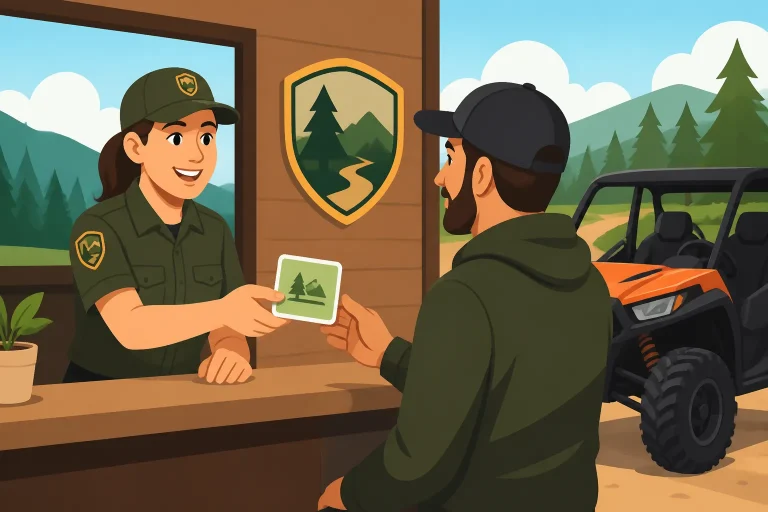
Identity verification at purchase is a check that connects a permit to the person buying or using it. For Spearhead Trails, riders should be prepared for the permit process to ask for identifying information and for trail staff to compare the permit with photo identification. The exact prompts can depend on the current purchase process, so follow the instructions shown by the permit provider rather than assuming every buyer will see the same screen.
This is an operator’s permit process, not a general Virginia ATV registration requirement. Virginia does not issue a single statewide ATV trail permit that covers every place a rider might go. A Spearhead permit applies to Spearhead Trails under that system’s rules; it does not automatically authorize riding on national forest routes, at a private park or on a neighboring state’s trail network. Why One Permit Does Not Cover Both Networks
Identity verification also has a narrower purpose than some riders expect. It helps confirm the permit holder’s identity. It does not, by itself, prove ownership of the machine, confirm that the machine meets every equipment rule, or grant permission to ride on land that is closed to the public.
| Check | What it is meant to establish | What it does not establish |
|---|---|---|
| Identity verification | That the purchaser or permit holder can be associated with the identity details provided | Ownership of the ATV or UTV |
| Photo ID check | That a person stopped on the trail can be matched to the permit information | Permission to ride outside the permit’s system |
| Residency verification | Whether a buyer qualifies for a location-based permit discount, if offered | That a person is eligible for every permit category |
| Parent or guardian verification | That the required adult is involved in a minor’s waiver or purchase process | That the adult’s permit covers a child automatically |
| Permit confirmation | That a permit was issued for the relevant system and period | That every trail, route or vehicle is allowed |
The process matters most when details are inconsistent: a shortened name, an old address, a purchase made under someone else’s account, or a parent buying on behalf of a child. Those situations do not necessarily mean a permit cannot be purchased. They do mean it is worth sorting out the account and waiver details before heading to the trailhead.
Identity checks are also different from the permit rules themselves. For example, Virginia Permit Verification Steps covers how permit checks work more broadly, while Virginia Trail Rules for Riders Under 18 concerns age-related riding rules. A rider can satisfy one requirement and still need to meet the other.
What to prepare before you start the purchase
A little preparation reduces the chance that a form is rejected or that a rider has to resolve a name problem at the trailhead. Use the permit provider’s current instructions as the final authority, but these are sensible items to have ready.
Use the rider’s correct legal name
Enter the name that appears on the rider’s photo ID, especially if the system asks for the permit holder’s name. A nickname, initials, shortened first name or a different surname may not match what staff see when they check identification.
If a rider commonly uses a name different from the one on their ID, use the ID name wherever the purchase process asks for the permit holder’s identity. If the system provides a separate field for a preferred name, follow its instructions. Do not try to make the permit match a nickname if doing so causes the legal name to disappear from the record.
For riders whose ID has recently changed, check that the permit account and purchase details are consistent with the ID they plan to carry. If there is a genuine discrepancy that cannot be resolved through the online form, contact the permit office before purchase rather than hoping staff will interpret it at the gate. Why Your Photo ID Must Match the Permit Name
Keep the photo ID available
Have a current photo ID available while completing the purchase and when riding. The purchase page may request identity details, and a trail check may involve comparing the person present with the permit information. The official instructions determine what forms of ID are accepted; do not assume that a school card, a photograph of an ID or another person’s document will work.
An ID check is not an invitation to upload or send documents through an unofficial channel. Use only the permit provider’s authorized purchase process, and contact its office if you are unsure how a requested document should be submitted. Avoid sending sensitive information through ordinary email or a social media message unless the provider specifically directs you to a secure method.
Make the permit holder clear
A family or group may have one person arranging the purchase, but the person who pays is not always the person who will ride. Before buying, identify who the permit is for and whether each rider needs a separate permit under the system’s current rules. Do not assume that one person’s permit covers everyone in a vehicle or riding group.
This distinction is important when a parent purchases for a minor. A parent may be the person completing a waiver or handling payment, while the child is the rider whose information must be associated with the permit. Follow each field’s wording carefully: “purchaser,” “permit holder,” and “parent or guardian” may refer to different people.
Check the permit dates and system
Identity details will not fix a purchase made for the wrong trail system or period. Confirm which permit you need before entering personal information. Spearhead Trails and Virginia’s national forest riding areas use separate permit arrangements, and a permit for one does not substitute for the other. Virginia Annual vs Three-Day Permits explains the choice between Spearhead permit types; for forest riding, see Virginia Forest Permit Purchase Options.
A simple pre-purchase check is to confirm:
- The trail system you intend to visit.
- The permit type and applicable dates.
- The name of the person who will hold or use the permit.
- Whether a minor’s parent or guardian must complete a separate step.
- Whether you are seeking any residency-based discount.
- How the provider says to show the permit after purchase.
This is especially useful when one adult is organizing the trip for several riders. A few minutes spent checking names and permit categories can prevent a mix-up between a rider’s permit, a parent’s account and a group’s travel plans.
Parents, minors and residency discounts
Identity verification can involve more than one person when a minor is riding or a buyer is applying for a local discount. Keep these checks separate in your mind: the system may need to know who the rider is, who is responsible for a waiver, and whether the purchaser meets a discount condition. One document or account detail may not answer all three questions.
When a parent buys for a child
If a child is riding, read the waiver and permit instructions before beginning. A parent or guardian may need to provide their own information or verify their relationship to the minor, while the child’s name may need to be entered as the rider or permit holder. The exact steps depend on the provider’s process.
Do not enter the parent’s identity in a field that asks for the rider simply because the parent is completing the transaction. Equally, do not assume a child can complete every step without an adult. If a form’s wording is unclear, ask the permit office how to enter the adult’s and child’s details before submitting it. Proving You Are the Parent During the Waiver addresses the adult’s role in that process.
The permit purchase is only one part of a minor’s trail readiness. The rules for age, supervision and equipment are separate and still apply, even if the payment and waiver go through successfully. A parent should confirm the relevant rider requirements for the machine and trail system before departure.
When a buyer seeks a residency discount
Some Spearhead permit options may have a discount tied to residency in eligible counties. A system may ask for additional information or proof to confirm eligibility. Do not treat an address entered in a profile as automatic proof of residency, and do not claim a discount just because the purchaser lives somewhere in Virginia. Eligibility is defined by the provider’s current rules.
Keep the identity check and the residency check distinct:
- Identity details connect the purchase to a person.
- Residency details support eligibility for a particular local discount.
- A photo ID may help establish identity, but the provider decides what it accepts as proof of residency.
- A household member’s address or utility account may not establish that the permit holder qualifies.
If the purchaser and rider are different people, find out whose residency matters for the discount. Do not assume the person paying can qualify on behalf of a rider, or that a rider’s address can be substituted for the purchaser’s. Proving Coalfield Residency When You Buy a Spearhead Permit focuses on this issue.
Because discount boundaries and documentation instructions can change, check the permit provider’s current eligibility guidance before purchase. If the system rejects your proof or you are uncertain whether your county qualifies, ask the provider to clarify before choosing the discounted option. Paying for the wrong category and then trying to correct it later may be harder than confirming eligibility first.
When the adult and rider use different accounts
A common source of confusion is a parent using their own account to buy for a child, or one adult buying permits for several people. Before submitting, look for instructions that explain whether the account holder is also the permit holder. If the system has a separate field for each role, fill it out as directed.
After checkout, review the confirmation carefully. Check the names, permit type, applicable dates and any waiver status shown. If the confirmation appears under the adult’s name but the child is meant to be the rider, contact the permit office promptly to ask whether the record is correct. Do not wait until a trail check to find out whether a child’s details were attached properly.
If the system rejects your details or the permit does not match
A rejected identity check does not necessarily mean you are ineligible. It can reflect a typo, a difference between the name on an account and the name on an ID, an incomplete step or a verification issue that needs help from the provider. Avoid repeatedly changing personal details just to make a form accept them. That can create several inconsistent records and make the issue harder to explain.
Work through the problem in a clear order:
- Read the error message. Note which field or step is failing. Do not assume an identity error is really a residency or payment problem.
- Check spelling and order. Compare the entered name with the photo ID, including hyphens, suffixes and middle names if the form requests them.
- Confirm the person in each role. Check whether the form is asking for the purchaser, the rider, or a parent or guardian.
- Review the permit category. Confirm that you selected the correct system and permit type.
- Save the confirmation or error details. Keep the order number or other reference information, but do not post personal data publicly.
- Contact the permit provider. Use its official contact route and ask what correction or documentation it requires.
If the name on a completed permit is wrong, do not assume that the confirmation email alone will resolve the mismatch. Ask whether the provider can correct the permit record and whether you should wait for confirmation before riding. A support representative can tell you whether a correction is possible and what evidence is needed.
If the online process is unavailable, do not purchase through an unofficial seller or use another person’s identity to get around the problem. Ask the permit provider about its authorized alternatives. A purchase receipt or payment record can help support a conversation with customer service, but it is not necessarily a substitute for a valid permit.
Keep confirmation details accessible
Spearhead permits are digital, so keep the confirmation accessible in the way the provider recommends. Your Spearhead Permit Arrives as an Email explains what to expect after purchase. Save the confirmation in a place you can retrieve it, and consider keeping a copy available offline if you expect poor cell service. A screenshot can be a useful backup for viewing information, but it does not alter the underlying permit record or correct a name error.
Before leaving home, check that you can open the confirmation and that the permit details look right. If the name, dates or system are incorrect, contact the provider rather than assuming a ranger will make an exception. For the trail check itself, see Virginia Permit Checks on the Trail.
What identity verification does not replace
A valid identity check is one part of getting ready to ride, not a general approval of the trip. Riders still need to follow the system’s permit, vehicle and conduct rules. They also need to respect land access limits and any closures. A permit does not create access to a road or property that is not open to riding.
It is not proof of machine ownership
A person’s permit information does not establish that the ATV or UTV belongs to them. If you are asked to show ownership paperwork for another reason, a permit confirmation is not a substitute for the relevant documents. The separate topic Virginia Proof of Ownership on the Trail explains why proof of ownership and trail access are different issues.
It is not a statewide registration or plate
Do not confuse buying a trail permit with registering an ATV through the state or obtaining a license plate. Virginia’s rules for titles, registration and trail permits address different things. A Spearhead permit is a trail-system authorization under that system’s rules; it does not turn an off-road machine into a road-legal vehicle.
Likewise, an identity check when buying a Spearhead permit is not the same as titling a machine at the DMV. Riders who need title information can see How to Title an ATV in Virginia. A title, where required or obtained, does not replace a trail permit.
It is not permit reciprocity
A Virginia permit is not automatically accepted in another state, and permits from neighboring systems do not automatically authorize riding on Spearhead Trails. Each trail operator sets its own permit and identification rules. Before crossing a state line for a ride, check the destination’s requirements rather than relying on what was accepted for a Virginia purchase. Virginia Riders Visiting Hatfield-McCoy explains the separate permit issue for a neighboring trail network.
Nor does a Virginia permit mean that every Virginia riding area accepts the same document. National forest routes, private parks and other operators may have their own purchase process, operating hours, equipment standards and permit checks. Confirm the rules for the exact trail system you plan to visit.
Frequently Asked Questions
Does every Virginia ATV rider need identity verification to buy a permit?
No single identity-verification process applies to every Virginia riding location. The purchase process depends on the trail operator and permit type. Follow the current instructions for the specific system you plan to ride.
Can a parent buy a permit for a child?
A parent may be able to handle a child’s purchase or waiver, but the provider’s instructions determine how the parent and rider must be identified. Check which person belongs in each field and verify that the child is linked to the correct permit.
Does a photo ID prove eligibility for a resident discount?
Not necessarily. A photo ID can help establish identity, but the provider decides what documents it accepts to verify residency and which locations qualify. Confirm the current requirements before selecting a discounted permit.
What if the permit name does not match my ID?
Check whether the difference is a typo or a mismatch between the purchaser and rider. Contact the permit provider through its official channel and ask how to correct the record. Do not rely on an explanation at the trailhead as a substitute for fixing the permit.
Can I use a Spearhead permit on a national forest trail?
No. A Spearhead permit is for the system it covers and does not replace a separate permit required by another operator. Check the rules for each trail system before riding.
Disclaimer
This article is for general informational purposes only and does not constitute professional advice. Laws, prices and regulations vary by location and change over time. Consult a qualified professional for guidance on your specific situation.