Virginia Photo ID Matching a Permit
A permit can be paid for and still cause trouble if its name does not line up with the photo ID you bring to the trail. For Virginia’s Spearhead system, matching those details is a simple way to avoid a preventable delay at a permit check. Here’s how to enter your information, handle common name differences, and prepare for a ride when your permit is digital.
Why your photo ID and permit name should match
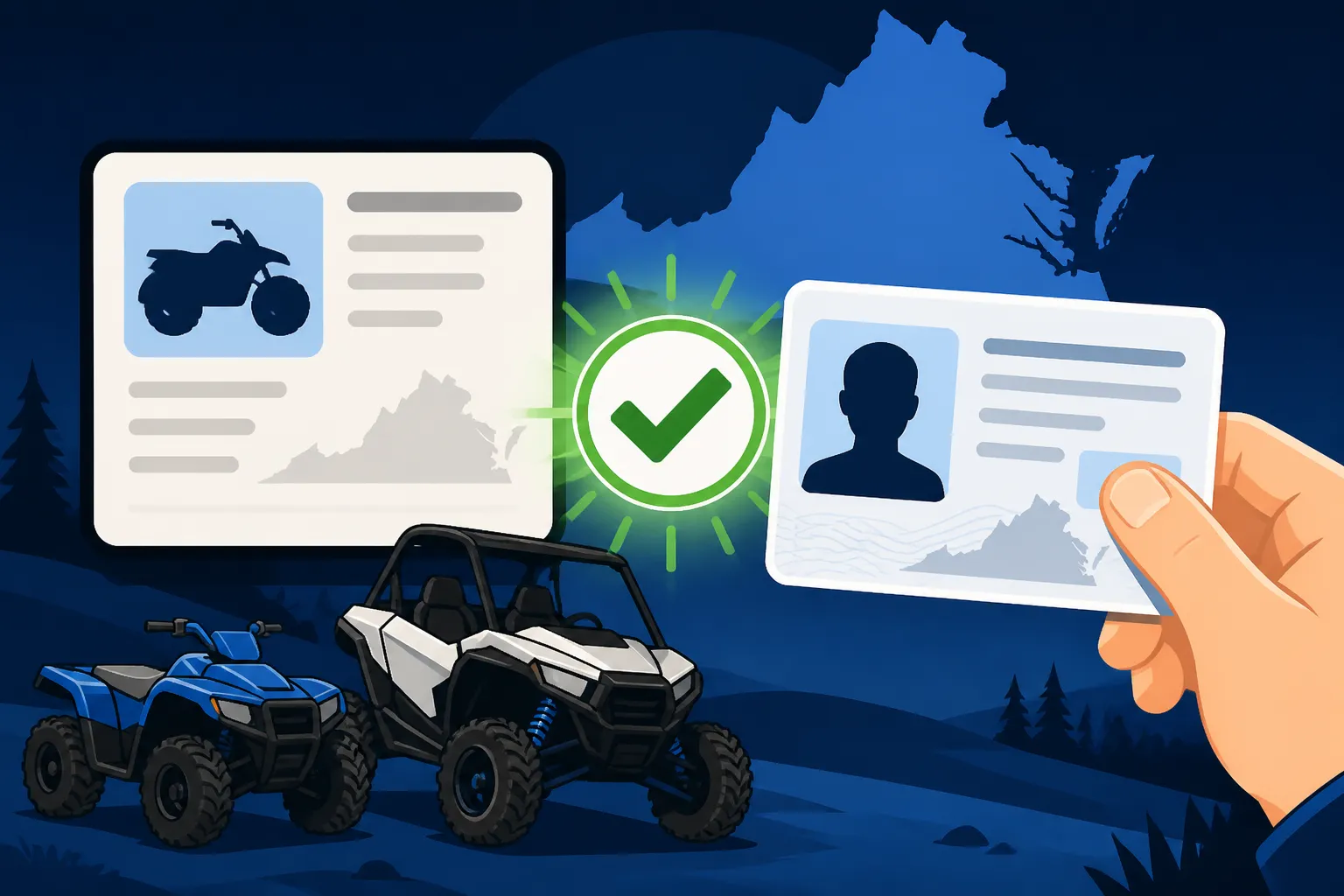
Spearhead permits are associated with a person, not just a machine. When a ranger checks a permit, having the rider’s photo ID show the same name as the permit makes it easier to confirm that the permit belongs to the person presenting it. The point is straightforward: the name on the permit and the name on the ID should identify the same person.
That matters whether you bought an annual permit or a shorter-duration permit. A screenshot or email may show that a permit was purchased, but it does not automatically clear up a mismatch between the permit holder and the rider. If one person bought a permit for someone else, or if a permit was entered under a nickname, be ready to resolve that before you ride.
The permit is digital, so there may not be a sticker on the machine that settles the question. A ranger can look up permit details by name, and the rider may be asked to show identification. Reviewing the Virginia Permit Verification Steps before departure can help you understand what details to have ready.
A matching name is also useful when a group travels together. If each rider has a separate permit, each person should know which permit is theirs and be prepared to identify themselves. A lead rider’s confirmation email or permit record is not a substitute for every other rider’s permit.
Keep the distinction clear: a photo ID is for confirming the identity connected to a permit. It does not replace the permit, prove that a machine is allowed on a particular trail, or guarantee that every other riding rule has been met. Riders still need to follow the applicable trail system rules, age requirements, equipment standards, and route restrictions.
Enter the name carefully when buying a permit
The easiest time to prevent a mismatch is when you purchase the permit. Enter the name of the person who will hold and use it, and take a moment to compare that entry with the name printed on their photo ID. Avoid entering the name of the person paying if someone else will actually ride under the permit.
Use the person’s legal or commonly accepted identification name rather than a nickname. If the ID shows “Robert” but the permit is entered as “Bob,” the ranger may still be able to establish that the records refer to the same person, but it is an avoidable question. Use the same version of the name in both places whenever the purchase form allows it.
Pay special attention to details that are easy to overlook:
- First and last names are in the correct fields.
- The spelling matches the photo ID.
- A hyphenated or two-part surname is entered consistently.
- The name is not shortened to a nickname.
- The permit is assigned to the rider who will present the ID.
- The purchase confirmation displays the information you intended.
The purchase process may ask for identity details or documentation. Follow the instructions shown during the transaction, and check the current requirements with the permit provider if the form does not make an acceptable ID clear. Do not assume that every kind of card, document, or electronic image will be accepted as photo identification.
A common mistake is buying one permit under the group organizer’s name and assuming that anyone in the group can use it. A permit connected to one person should be treated as that person’s permit unless the provider’s current rules explicitly say otherwise. If a friend or family member will be the permit holder, use that person’s information and make sure they know how to access the permit record.
After the purchase, review the confirmation rather than relying on memory. The Your Spearhead Permit Arrives as an Email information is useful for planning how to keep the record accessible. Confirm that the name shown on the permit is the name you meant to use. If it is wrong, contact the permit provider before the ride instead of waiting to explain the discrepancy at a trailhead.
Don’t confuse the purchaser with the permit holder
A person may pay for several permits in a group, but that does not mean all permits should be entered under the payer’s name. Follow the purchase system’s instructions for assigning each permit. If it requires a separate permit record for each rider, enter the information for each intended holder.
For a parent or guardian buying permits for young riders, slow down at the identity fields. A minor may not have the same type of photo ID as an adult, and the purchase process may have specific instructions for youth permits or adult participation. Do not put the child’s permit under the adult’s name merely because the adult is completing the payment. Review [Virginia Youth Permit Rules] and confirm the current process before buying.
The same care applies when a spouse, partner, or riding companion handles the transaction. Payment and permit identity are separate matters. Agree on whose name belongs on each permit before starting, especially if you are purchasing permits for a group at once.
Common name differences and special situations
Not every mismatch means someone is trying to use another person’s permit. Names change, forms have limited fields, and a person’s ID may include details that were left out during checkout. Still, the cleanest approach is to make the permit and ID align as closely as the system permits.
| Situation | Practical step |
|---|---|
| Nickname on the permit, full name on the ID | Use the ID name when purchasing, or ask the provider how to correct the permit. |
| Typo in the first or last name | Contact the permit provider before riding and keep any correction confirmation. |
| Hyphenated or two-part surname | Enter it consistently with the ID and check the displayed permit record. |
| Recent legal name change | Use the name shown on the ID you plan to present, or ask the provider how to update the record. |
| One person paid for another rider | Make sure the permit is assigned to the intended rider, not simply the payer. |
| Parent purchasing for a minor | Follow the youth permit and identity instructions; do not guess which name belongs on the permit. |
| Permit bought under an old email account | Retrieve the permit and confirm the name and access method before leaving. |
If your ID has a middle name or initial and the permit record does not, that may not be the same kind of issue as a different first or last name. But do not rely on an assumption that a particular variation will always be accepted. Use the name fields as instructed, compare the completed record with your ID, and ask the provider if the system truncates or rearranges the name.
A recent name change deserves extra attention. If the photo ID you plan to bring still shows the former name, a permit under the new name may be harder to verify quickly. Conversely, a permit under the old name may not line up with a newly updated ID. Before the ride, ask the provider what correction or documentation it accepts. Keep the answer or confirmation available in case you need to explain the change.
If you bought a permit for the wrong person, do not assume it can be transferred informally. A friend’s permission to use their email or account does not necessarily make the permit yours. Contact the permit provider and ask whether the holder information can be corrected, whether another purchase is needed, or what process applies. Avoid buying a second permit until you understand the available correction options, since permit purchases may be subject to their own final-sale rules. Check Spearhead Permits Are Final Sale, No Refunds before assuming an error can be undone.
A residency discount can add another layer to the purchase. The discount process may involve proving eligibility, while a trail permit check may focus on the permit holder’s identity. Those are related but distinct questions. If you are using a county resident discount, confirm that the identity and residency details meet the provider’s current requirements. See Proving Coalfield Residency When You Buy a Spearhead Permit for the residency issue; do not treat a discount document as a replacement for the photo ID associated with the permit.
Prepare for a permit check on the trail
Before you leave, make sure you can show the permit and the ID that matches it. Spearhead permits are digital, so download or save the relevant confirmation in a way that remains available if mobile service is poor. Keep the information on the phone of the rider named on the permit when practical. If another person in the group carries the confirmation, the permit holder should still know how the record can be retrieved.
A useful pre-ride check is:
- Open the permit record or confirmation.
- Read the permit holder’s name, not just the purchase total or order number.
- Compare that name with the photo ID the rider will bring.
- Confirm the permit applies to the intended rider and riding period.
- Save the confirmation for offline access.
- Make sure the rider can explain where the permit record is stored.
This is more reliable than assuming that an email will load at the trailhead. The digital record may be accessible only through an account or an inbox, so test the access method while you have a connection. Showing a Digital Permit With No Cell Signal covers the practical issue of keeping a digital permit available when service is limited.
Bring the actual photo ID you intend to use, not just a photograph of it on a phone, unless the permit provider confirms that an electronic ID is accepted. A digital permit and a digital image of an ID are different things, and one does not establish that the other will be accepted. If you are unsure about ID format or acceptable documents, confirm before traveling.
When stopped, stay calm and make the check easy. Have the permit record open, present the matching ID if asked, and answer questions directly. If the ranger cannot locate the record immediately, verify the spelling and the email or account used to buy it. Do not assume the ranger can find a permit using only the machine’s serial number or the name of the person who paid. The Trail Rangers Look Up Permits by Name information explains why the holder’s name is useful to have ready.
A permit check is not the time to sort out a group’s paperwork from scratch. Before riding, each person should know whether they have an individual permit, which name is attached to it, and how to display the confirmation. For an organized group, the coordinator can help everyone prepare, but should not be the only person who knows the permit details.
What if a ranger sees a mismatch?
If the name on your ID differs from the name shown on the permit, explain the reason and show any relevant confirmation you have. A typo, name change, or mistaken purchaser entry may have a simple explanation, but it can still take time to establish. The safest solution is to correct the record before the ride.
Do not alter a screenshot or edit a confirmation to make the names appear to match. That can make an ordinary clerical error look more serious and does not correct the provider’s underlying record. Contact the provider through its official support channel and keep the response.
If the permit belongs to a different person, do not represent it as yours. Ask the provider whether the holder can be changed or whether a new permit is required. If you are traveling with a parent, guardian, or another adult, their presence does not automatically resolve a mismatch unless the applicable permit rules say so. Check Why Your Photo ID Must Match the Permit Name and What a Trail Ranger Checks When You Are Stopped for related verification questions.
Fix problems before you travel
A mismatch discovered at home is usually easier to handle than one discovered after the group has hauled machines to a trailhead. Set aside time after purchase to check every permit, particularly when several riders are involved. Do not wait until the morning of the ride to search through old emails or try to reach customer support.
If you see a spelling error, first identify exactly where it appears: the permit record, the order confirmation, or only the email account profile. A typo in the account’s display name may not be the same as a typo in the permit holder field. Take a screenshot or note of the record for your own reference, then ask the provider how to correct the permit itself.
When contacting support, keep the request specific. Include the permit holder’s name as entered, the correct name as shown on the ID, the purchase confirmation details, and a brief explanation of the difference. Do not send sensitive identification information through an unverified channel. Follow the provider’s instructions for any documents it requests.
If you cannot correct the name before departure, ask the provider whether the permit remains usable and what proof the rider should carry. Get the answer in writing if possible. A verbal assumption from someone who is not responsible for permit administration is not a reliable substitute for a confirmed correction.
The same preparation applies if you have multiple permits associated with one account. A single login or email address can hold several records, but each permit may still be tied to a specific person. Open every record and verify its holder before assigning permits to riders. Marking the records clearly for your own planning can help prevent a family member from presenting the wrong one, but do not change any official information unless the provider allows it.
Some riders also use different systems during the same trip. A Spearhead permit and a National Forest OHV permit are not automatically interchangeable. Each system has its own access rules and proof requirements, so check the correct permit for the riding area you plan to use. The guidance for Virginia National Forest Permits Bought Before Arrival can help distinguish that preparation from Spearhead permit verification.
Before starting the drive, use this short checklist:
- Each rider knows which permit is assigned to them.
- The permit name matches the photo ID as closely as possible.
- Any spelling or identity issue has been raised with the provider.
- Each rider can access their digital permit without relying on trailhead cell service.
- You have checked that the permit covers the intended riding area and date.
- Youth riders and accompanying adults have followed the current rules for their situation.
For broader trip planning, Virginia Permit Verification Steps is a useful companion to this name-matching check. Keep in mind that a permit confirms only the access it covers. It does not remove the need to follow posted closures, trail limits, safety requirements, and instructions from rangers.
Frequently Asked Questions
Does the permit need to be under the name on my photo ID?
Use the same name shown on the ID you plan to present. A different name can create an avoidable verification problem, so contact the permit provider if the record is incorrect or the names differ.
Can I use a permit that a friend bought?
Do not assume that a friend’s permit can be used by another rider. Check whether the permit can be assigned or corrected through the provider. The payer and permit holder may be different people, so confirm whose name is actually on the permit.
Will a nickname match a full legal name?
It may be possible for a ranger to understand that a nickname and a full name refer to one person, but that is not a dependable plan. Enter the name as it appears on the photo ID or ask the provider how to handle the difference.
Is an email confirmation enough if I do not have the matching ID?
The confirmation helps show the permit record, but it may not establish that the person presenting it is the named holder. Bring the relevant photo ID and check the current permit instructions before riding.
What should I do if I notice a typo after purchase?
Contact the permit provider before traveling and ask how to correct the holder information. Keep the correction confirmation, and do not edit the permit image or assume the error will be overlooked.
Disclaimer
This article is for general informational purposes only and does not constitute professional advice. Laws, prices and regulations vary by location and change over time. Consult a qualified professional for guidance on your specific situation.